 Dcamera
 editing guide
Save the front and back cameras as separate videos.
Dcamera lifetime Pro saves three video files from a dual-camera recording: your combined composition, the front-camera original and the back-camera original. The free version saves the combined video with a watermark.
What is the difference between the three files?
| File | What it contains | When to use it |
|---|---|---|
| Composite | Both views in your chosen layout | Share a version with the scene and your reaction together. |
| Front original | The front-camera view without the combined layout | Use your reaction or spoken introduction as its own shot. |
| Back original | The back-camera view without the combined layout | Give the scene its own shot in a later edit. |
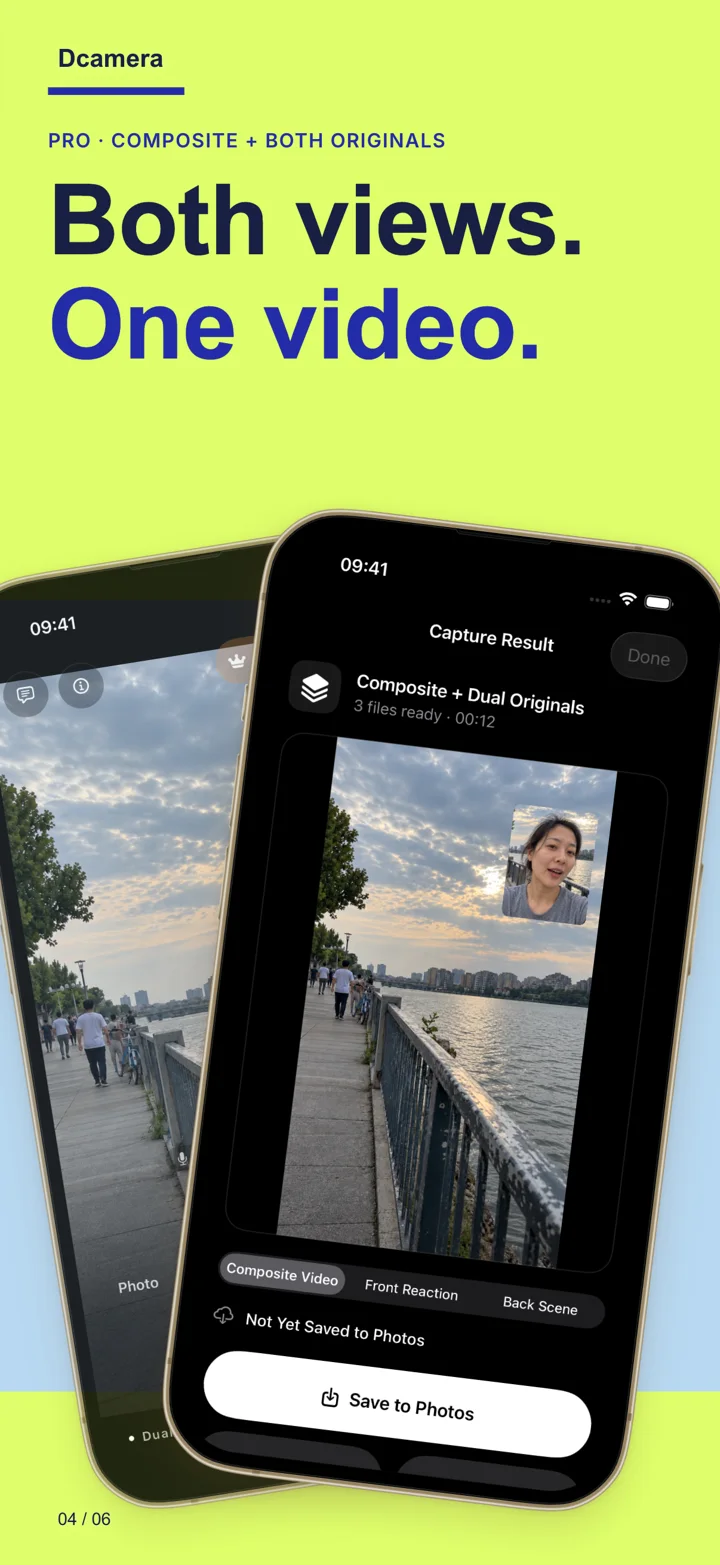
Record and check both originals.
- Confirm Pro before the take. Open the Pro screen and check your unlock. If needed, restore a purchase made with the same Apple Account.
- Make a short dual-camera test. Choose Video and check both previews. Record a few seconds with movement in both views.
- Review the results. On the result screen, switch between the combined video and the available original views.
- Check the save status. Allow Photos access when requested. If the recording is not saved, use Save to Photos or retry a failed save. Wait for the saved confirmation and check Photos before closing the result.
- Choose files for your edit. Use the composite for the combined layout, or select the originals from Photos in your video editor.
Can I change the layout after recording?
Pro includes local reframing after recording. Retaining both camera originals gives you more material to work with than a composite alone. Keep important faces and details inside both camera views during capture; reframing cannot recover something that was outside the original frame.
Can I separate a free composite after upgrading?
An upgrade applies to future captures. A combined video has already placed both views into one frame; purchasing Pro later cannot reconstruct missing original files. Make a new test recording after unlocking Pro.
Does Pro guarantee 4K originals?
No. Pro unlocks supported features, but the available capture formats depend on the iPhone and the camera combination. Do not assume all three files have identical resolution or that a format offered by a single-camera app is available during dual-camera recording.
What if only one video appears?
Check whether the recording was made with Pro active and whether saving completed. A free composite is expected to be one combined file. For a Pro recording, keep the result open if saving has failed, check Photos permission and storage, then retry. Follow the saving and restore troubleshooting steps.