 Dcamera
Choose your two views
Use picture-in-picture, side-by-side or top-and-bottom layouts. Pick a scene template, then adjust the composition before capture.
Front + back · Photos + video
A dual camera app for both sides of the moment. Dcamera uses your iPhone’s front and back cameras together for travel, vlogs and interviews.
3 free saves a day · Optional lifetime Pro · No subscription
Requires a compatible iPhone with iOS 17 or later.
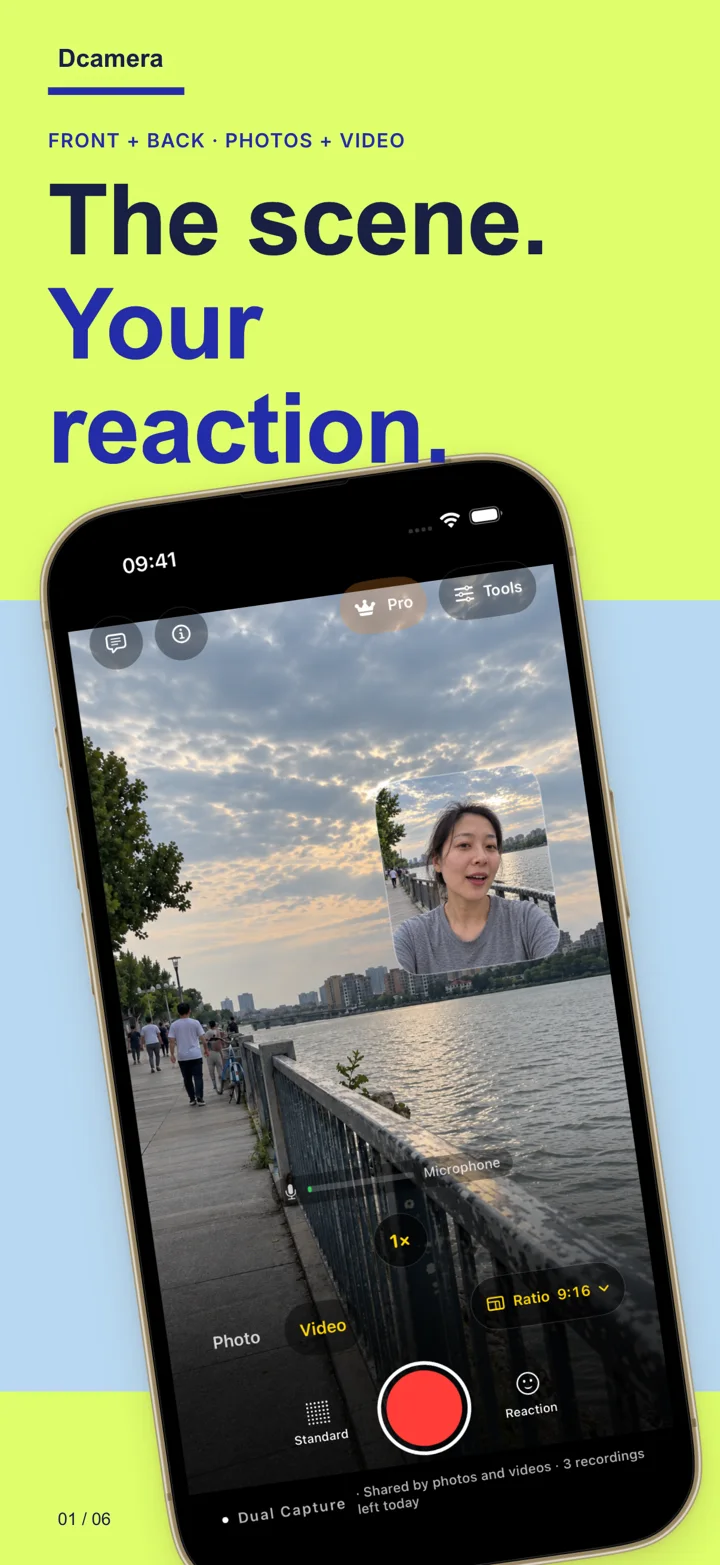
From idea to saved story
A dual camera app records your perspective and what is in front of you at the same time. Dcamera brings both views into one composition before you save.
Use picture-in-picture, side-by-side or top-and-bottom layouts. Pick a scene template, then adjust the composition before capture.
Shoot a photo, Live Photo or video with both cameras. Adjust live color, or use the teleprompter for a spoken introduction.
Save to Photos and share when you choose. Pro also saves the composite video and both camera originals for more editing options.
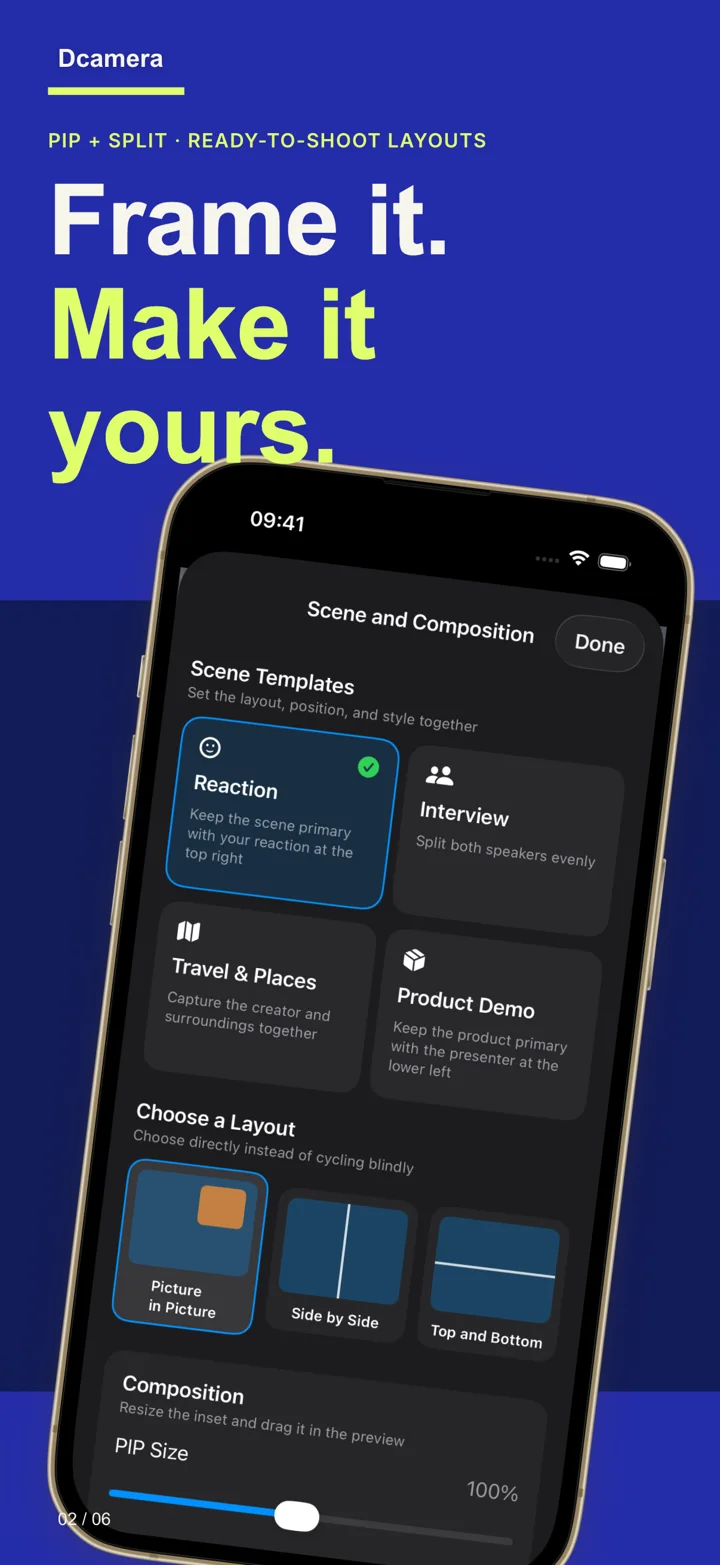
A layout for your story
Create more with lifetime Pro
Try the full dual-camera idea with 3 free saves a day. Choose Pro for frequent shooting and a more flexible editing workflow.
See exactly what Pro includes →Practical capture guides
Check your iPhone, choose a layout and make your first dual-camera recording.
Read the setup guide →Plan three short shots that show the location and your reaction in the same take.
Try the travel workflow →Understand the composite, the two originals and what lifetime Pro adds.
See the file workflow →Before you download
Yes, on compatible iPhones. Dcamera uses simultaneous front and back capture. Installing iOS 17 alone does not guarantee dual-camera or 4K support; the available formats depend on the device and camera configuration.
The app is free to download. You can save 3 captures per day, shared between photos and videos. Free composites include a watermark. Failed or cancelled saves do not use the allowance. Optional lifetime Pro removes the daily limit and watermark.
No. Pro is a one-time, non-consumable in-app purchase. The current local price appears in the app and Apple’s purchase confirmation. You can restore an eligible purchase with the same Apple Account.
Capture and media processing run on your device. Dcamera has no developer content-upload service. You choose whether to save to Photos or share with another app. Apple Photos and system backups follow your system settings. Read the privacy policy.